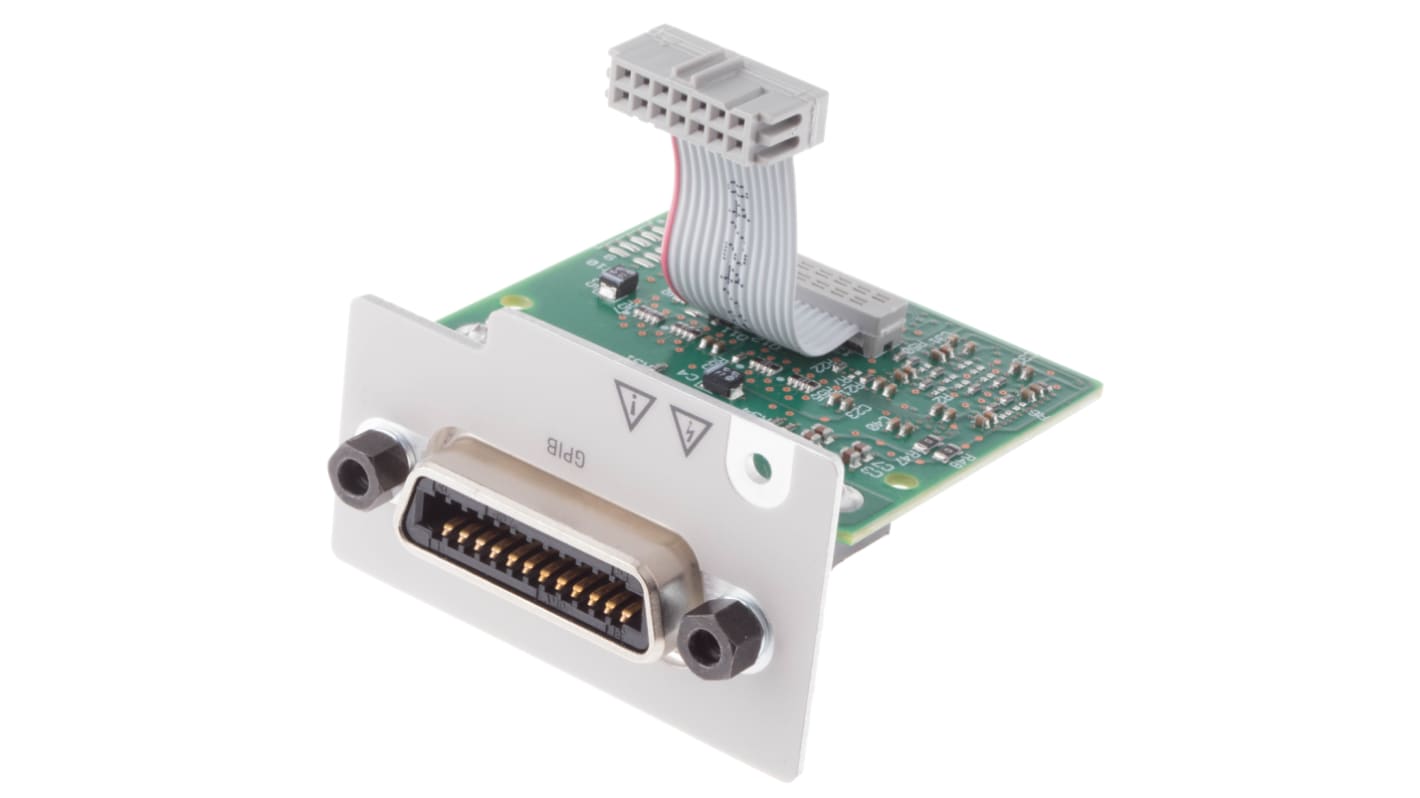
Keysight Technologies GPIB-gränssnittsmodul som kan installeras av användaren till Keysight Technologies Multimetrar
- RS-artikelnummer:
- 777-7117
- Distrelec artikelnummer:
- 110-42-117
- Tillv. art.nr:
- 3446GPBU
- Tillverkare / varumärke:
- Keysight Technologies

Antal (1 enhet)*
3 785,00 kr
(exkl. moms)
4 731,25 kr
(inkl. moms)
GRATIS leverans för online beställningar över 750,00 kr
I lager
- 4 enhet(er) är redo att levereras
- Plus 1 enhet(er) är redo att levereras från en annan plats
Behöver du mer? Ange den kvantitet du behöver och klicka på "Kontrollera leveransdatum"
Enheter | Per enhet |
|---|---|
| 1 + | 3 785,00 kr |
*vägledande pris
- RS-artikelnummer:
- 777-7117
- Distrelec artikelnummer:
- 110-42-117
- Tillv. art.nr:
- 3446GPBU
- Tillverkare / varumärke:
- Keysight Technologies
Specifikationer
Datablad
Lagstiftning och ursprungsland
Produktdetaljer
Hitta liknande produkter genom att välja ett eller flera attribut.
Välj alla | Attribut | Värde |
|---|---|---|
| Varumärke | Keysight Technologies | |
| Typ av tillbehör | GPIB-gränssnittsmodul som kan installeras av användaren | |
| Produkttyp | GPIB-anslutningsuppgradering | |
| För användning med | Keysight Technologies Multimetrar | |
| Standarder/godkännanden | EN 610101:2010, ANSI/ISA610101, CSA, CE | |
| Välj alla | ||
|---|---|---|
Varumärke Keysight Technologies | ||
Typ av tillbehör GPIB-gränssnittsmodul som kan installeras av användaren | ||
Produkttyp GPIB-anslutningsuppgradering | ||
För användning med Keysight Technologies Multimetrar | ||
Standarder/godkännanden EN 610101:2010, ANSI/ISA610101, CSA, CE | ||
RoHS-status: Inte relevant
Keysight Technologies GPIB-anslutningsuppgradering, för användning med Truevolt och 33600A Trueform-serien, kan installeras av användaren - 3446GPBU
Letar du efter ett sätt att ansluta dina GPIB-komponenter till din DMM eller vågformsgenerator? Använd denna GPIB-anslutningsuppgradering från Keysight Technologies. Eftersom produkten har sin egen specifika felkö kan du snabbt identifiera och åtgärda problem med anslutningen. Denna komponent är kompatibel med DMM:er från Truevolt-serien och vågformsgeneratorer från 33600A Trueform-serien, vilket gör den till ett mångsidigt val.
Funktioner & fördelar
• Generatorn sparar upp till 20 GPIB-fel för att underlätta analys
• Icke-flyktiga konfigurationer innebär att dina inställningar förblir oförändrade, även efter en strömcykel
• Med inställningsmenyn kan du justera enheten efter dina behov för mångsidighet
Användningsområden
• Flyg- och rymdindustrin
• Testning av elektronik
• Forskning och utveckling
Hur installerar jag den här enheten i min vågformsgenerator?
Ta helt enkelt bort bakplåten, tryck in anslutningen i spåret och sätt in kortet i generatorn tills det ligger i linje med bakpanelen. Använd skruvar för att fästa den på plats.
Hur ändrar jag GPIB-adressen?
Som standard är GPIB-adressen inställd på 10, men du kan ändra den med hjälp av GPIB-inställningarna. Slå på strömmen för att uppdateringen ska börja gälla.
Note
Manufacturer’s Warranty
Relaterade länkar
- Keysight Technologies GPIB-gränssnittsmodul som kan installeras av användaren för Nätaggregat i E36200-serien
- Keysight Technologies Länksats med dubbla lås till Keysight Technologies Multimetrar
- Keysight Technologies Väska till Digitala multimetrar
- Keysight Technologies Monteringsrem till Digitala multimetrar
- Keysight Technologies Tillbehörspåse till Digitala multimetrar
- Keysight Technologies Testkabel till Digitala multimetrar
- Keysight Technologies Rackmontering Keysight Technologies Multimetrar
- Keysight Technologies GPIB-anslutningsuppgradering till 34450A