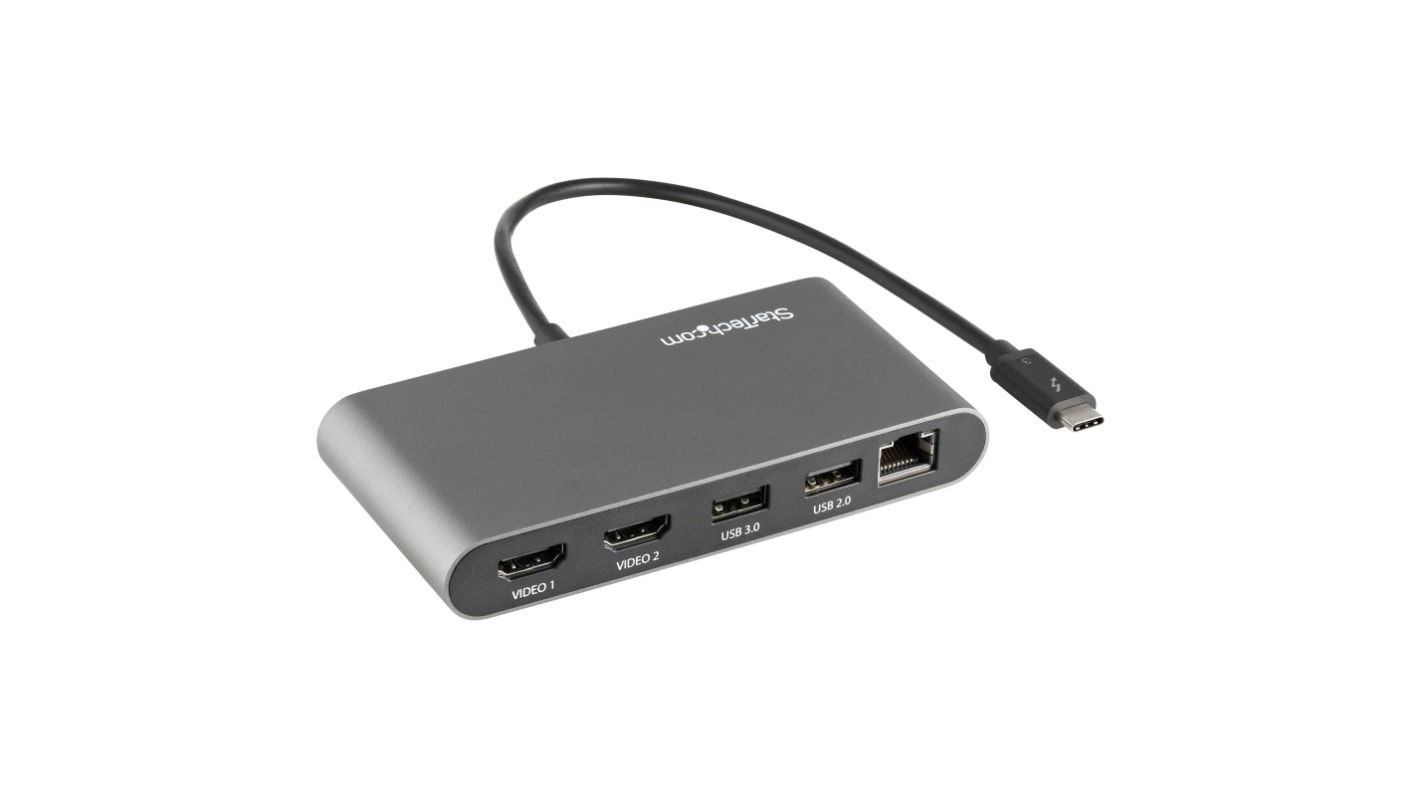
StarTech.com Dockningsstation 2 2, USB typ A, HDMI
- RS-artikelnummer:
- 221-7281
- Tillv. art.nr:
- TB3DKM2HDL
- Tillverkare / varumärke:
- StarTech.com

Antal (1 enhet)*
1 358,11 kr
(exkl. moms)
1 697,64 kr
(inkl. moms)
Lagerinformation är för närvarande otillgänglig - kom tillbaka senare
Enheter | Per enhet |
|---|---|
| 1 + | 1 358,11 kr |
*vägledande pris
- RS-artikelnummer:
- 221-7281
- Tillv. art.nr:
- TB3DKM2HDL
- Tillverkare / varumärke:
- StarTech.com
Specifikationer
Datablad
Lagstiftning och ursprungsland
Produktdetaljer
Hitta liknande produkter genom att välja ett eller flera attribut.
Välj alla | Attribut | Värde |
|---|---|---|
| Varumärke | StarTech.com | |
| Produkttyp | Dockningsstation | |
| Standarder/godkännanden | Thunderbolt Certified | |
| Busstyp | Thunderbolt 3 | |
| USB-specifikation | USB typ A | |
| Maximal upplösning | 4096 x 2160 pixel | |
| Videoanslutningstyp | HDMI | |
| Thunderbolt-kontakttyp | Thunderbolt 3 | |
| Antal skärmar som stöds | 2 | |
| Antal USB-portar | 2 | |
| Välj alla | ||
|---|---|---|
Varumärke StarTech.com | ||
Produkttyp Dockningsstation | ||
Standarder/godkännanden Thunderbolt Certified | ||
Busstyp Thunderbolt 3 | ||
USB-specifikation USB typ A | ||
Maximal upplösning 4096 x 2160 pixel | ||
Videoanslutningstyp HDMI | ||
Thunderbolt-kontakttyp Thunderbolt 3 | ||
Antal skärmar som stöds 2 | ||
Antal USB-portar 2 | ||
StarTech.com Docking Station, 145.8g Weight, 20cm Cable Length - TB3DKM2HDL
Looking for topnotch video output? Choose this docking station from StarTech.com. It lets you link two separate 4k monitors to your laptop to deliver super-slick streaming. The unit supports crystal-clear 4096 x 2160p resolution at 60Hz, so it's ideal for professional use. For extra versatility, it also has a pair of USB 2.0 ports for data transfer and charging.
Features & Benefits
Ultra-fast speeds Transmission speeds up to 40Gbps mean lightning-quick responses.
Ideal for remote workingHook your computer up to Gigabyte-fast internet thanks to the Ethernet port.
• Compact dimensions of 61 (W) x 124 (L) x 18.8mm (H) to keep your workspace clutter-free
• Aluminium casing is resistant to corrosion in humid areas
FAQs
What computers can I use this product with?This unit is compatible with most Windows and macOS products, as long as the hardware has dual monitor support.
Why do I need a docking station for my laptop?
With more and more laptops being released with a limited number and variety of port types, users are utilising docks to expand the ability to connect other peripherals to their computers.
How does a docking station work?
A docking station is often bus powered and runs off the power on your laptop or tablet. There is normally one male connector, typically a USB A or C port, which connects to your computer. Once connected, users are free to connect whatever peripherals they require to the dock if there is a port available and compatible.
What’s in the box?
• Docking Station
• User Manual
Relaterade länkar
- StarTech.com Dockningsstation 2 4 USB typ C, HDMI
- StarTech.com Dockningsstation 1 2 USB typ A, HDMI
- StarTech.com Dockningsstation 2 6 USB typ B DVI
- StarTech.com Dockningsstation 2 4 DisplayPort, HDMI
- StarTech.com Dockningsstation 2 5 USB typ B HDMI, VGA
- StarTech.com Dockningsstation 2 3 USB typ B VGA, DVI
- StarTech.com Dockningsstation 1 3 USB typ A, HDMI
- StarTech.com Dockningsstation 1 3 USB typ C, HDMI